

The golf simulator projectors Cost Guide | JAMMA Ultimate Insights
- Golf Simulator Projectors Cost Guide: What Venue Owners and Enthusiasts Need to Know
- Why projector selection matters for golf simulators
- Types of Projectors and Typical Price Ranges
- Entry-level consumer projectors (Budget home setups)
- Mid-range projectors (Serious home & small commercial)
- High-end and commercial laser projectors
- Key Technical Specs That Drive Cost
- Brightness (ANSI lumens)
- Resolution and pixel density
- Throw ratio and lens options
- Light source: Lamp vs Laser vs LED
- Input lag and refresh rate
- Ancillary Costs: What Many Buyers Miss
- Impact screen and enclosure
- Mounts, lenses and cabling
- Simulator software and sensors
- Installation and calibration
- Warranty, service and spare parts
- Realistic Total Project Cost Scenarios
- 1) Budget Home Simulator
- 2) Serious Home / Small Private Club
- 3) Commercial Golf Entertainment Venue
- How to Choose the Right Projector for Your Golf Simulator
- Step 1 — Define venue and use patterns
- Step 2 — Measure space and ambient light
- Step 3 — Confirm compatibility with software and sensors
- Step 4 — Budget for total cost of ownership
- Tips to Lower Costs Without Sacrificing Performance
- Choose the right lumen vs ambient light balance
- Consider short-throw lenses for compact rooms
- Buy through a provider who bundles components
- Why choose JAMMA Amusement for your golf simulator projector and installation?
- Conclusion: Balancing upfront cost and long-term value
- Frequently Asked Questions
Golf Simulator Projectors Cost Guide: What Venue Owners and Enthusiasts Need to Know
Choosing the right golf simulator projector is a critical decision that affects image quality, gameplay accuracy, uptime, and total project cost. Whether you are building a home simulator or a commercial golf entertainment venue, this guide from JAMMA Amusement (est. 2009, Guangzhou) breaks down realistic costs, technical choices, and installation considerations so you can budget confidently and select the best solution for your needs.
Why projector selection matters for golf simulators
Golf simulator projectors do more than show visuals — they must deliver crisp, low-latency images on a large impact screen, survive frequent use, and work with tracking systems and simulator software. Poor brightness, incorrect throw ratio, or high input lag can degrade shot visualization and affect player experience. Investing in the right projector up front reduces downtime and ongoing expenses.
Types of Projectors and Typical Price Ranges
Projector type is the largest single variable in cost. Below are practical categories and typical price ranges for 2024 market realities.
Entry-level consumer projectors (Budget home setups)
Price: $400–$1,500. These are mainly lamp- or LED-based 1080p DLP/LCD projectors suitable for dark rooms with smaller screens (8–12 ft). Pros: low initial cost. Cons: limited brightness (1,500–3,000 ANSI lumens), shorter lamp life (2,000–6,000 hours for lamp units), and sometimes higher input lag. Good for casual home simulator users with tight budgets.
Mid-range projectors (Serious home & small commercial)
Price: $1,500–$6,000. Often 1080p to native 4K (pixel-shift) DLP or high-end LCD with brighter outputs (2,500–6,000 lumens) and longer-life light sources. Many offer short-throw or optional lens choices, lower input lag, and better warranty/support. This is the sweet spot for serious home simulators and boutique venues.
High-end and commercial laser projectors
Price: $6,000–$60,000+. Laser illumination, native 4K options, ultra-bright outputs (6,000–20,000+ lumens), professional lenses and mounting options. Brands in this segment include Panasonic, Epson Pro, Christie, Barco — typically used in high-traffic commercial golf centers, simulator arenas and entertainment complexes. Pros: long life (20,000–30,000 hours), consistent color/brightness, low maintenance. Cons: high upfront cost.
Key Technical Specs That Drive Cost
Understanding which specs affect performance will help you balance budget and results.
Brightness (ANSI lumens)
Brightness needs depend on ambient light and screen size. Typical guidance:- Home dark-room: 2,000–3,500 lumens often sufficient.- Home with ambient light or larger screens: 3,500–6,000 lumens.- Commercial venues or high ambient light: 6,000–12,000+ lumens.Higher lumen projectors (especially laser) increase cost substantially but ensure clear visuals in brighter environments.
Resolution and pixel density
1080p can look good on smaller screens; native 4K improves clarity on large impact screens and for detailed range views. 4K projectors cost more — expect a 4K laser commercial unit to be 2–10x the price of an entry-level 1080p projector.
Throw ratio and lens options
Throw ratio determines mounting distance for a desired screen width. Short-throw (0.5–1.0) reduces shadows and mounts closer to players — commonly used in simulators. Lens shift and zoom flexibility simplify installation but add cost. Commercial projects often specify interchangeable lenses to fit venue geometry.
Light source: Lamp vs Laser vs LED
Laser: longer life (20k–30k hours), consistent brightness, higher upfront cost. Lamp: lower initial price but lamps need replacement (2k–6k hours) and recurring costs for bulbs and maintenance. LED: long life and good color but typically limited brightness for large screens. For high-use commercial sites, laser is usually the best long-term investment.
Input lag and refresh rate
Low input lag matters for a natural feel and accurate real-time feedback — important for simulator tracking systems. DLP projectors often offer very low input lag compared with older LCD models. Gaming or high-refresh projectors add to price but improve responsiveness.
Ancillary Costs: What Many Buyers Miss
Projector cost is only part of the total project budget. Plan for these common add-ons.
Impact screen and enclosure
Impact screens designed for simulator balls: $400–$4,000 depending on size and durability. A proper enclosure (frame, netting, safety padding) can add $1,000–$10,000 for commercial grade installations.
Mounts, lenses and cabling
Professional ceiling mounts, short-throw lenses, and high-quality HDMI/HDBaseT extenders can add $200–$3,000. Commercial setups often use lens shift or interchangeable lenses, increasing cost.
Simulator software and sensors
Simulator software and launch monitors are separate costs (software licenses, tracking sensors, cameras, radar units). These vary widely: entry-level launch monitors and software can be a few hundred to a few thousand dollars; advanced radar/photometric systems and professional software suites push total simulator spend much higher. Always verify projector compatibility with your simulator software and tracking system.
Installation and calibration
Professional installation ensures correct alignment, keystone correction avoidance, and calibration with simulator software. Labor can range from $200 for simple DIY support to $2,000+ for complex commercial installs including lens swaps and structural mounting.
Warranty, service and spare parts
Extended warranties and on-site service contracts are recommended for commercial operators. Budget 1–5% of hardware cost annually for maintenance or purchase an extended service plan from the manufacturer or installer.
Realistic Total Project Cost Scenarios
Below are practical budget scenarios combining projector choice with typical simulator components. These estimates exclude land/building costs but include hardware, screen, basic installation and initial calibration.
1) Budget Home Simulator
Projector: $600–$1,200 (1080p lamp/LED) Impact screen and frame: $500–$1,200 Mounts and cabling: $150–$400 Basic software/launch monitor: $300–$1,000 Installation & misc: $100–$500 Estimated total: $1,650–$4,300This setup suits casual home players in a controlled (dark) room.
2) Serious Home / Small Private Club
Projector: $2,000–$6,000 (bright 1080p/4K, short-throw, possibly laser) Screen & enclosure: $800–$2,500 Mounts/lenses/cabling: $500–$1,500 Software & launch monitor: $1,000–$5,000 Installation & calibration: $300–$1,500 Estimated total: $4,600–$16,500This provides a near-commercial experience with clearer visuals and better reliability.
3) Commercial Golf Entertainment Venue
Projector: $10,000–$50,000+ (laser, high lumen, professional lens options) Multiple screens and enclosures: $3,000–$30,000+ Professional mounts & cabling: $1,000–$10,000 Software licenses & tracking systems: $5,000–$50,000+ Installation, calibration & training: $2,000–$20,000 Estimated total per bay: $25,000–$100,000+ depending on scale.Commercial venues prioritize uptime, warranty, and image consistency, often choosing laser projection and service contracts.
How to Choose the Right Projector for Your Golf Simulator
Follow a clear decision process to match technical needs with budget.
Step 1 — Define venue and use patterns
Is the simulator for occasional home use, daily private club play, or a high-traffic commercial site? Higher use means prioritize laser and service plans.
Step 2 — Measure space and ambient light
Calculate screen size and mounting distance to determine throw ratio and lumen requirements. If ambient light cannot be controlled, increase lumen target.
Step 3 — Confirm compatibility with software and sensors
Ensure the projector supports required resolutions, refresh rates, and inputs for your simulator software and launch monitor hardware. Ask your simulator provider about recommended models.
Step 4 — Budget for total cost of ownership
Compare initial price, lamp replacement or laser lifespan, warranty, on-site support, and expected downtime costs. For commercial operators, a higher initial investment in laser and extended service usually pays off.
Tips to Lower Costs Without Sacrificing Performance
Optimize spending with these practical strategies.
Choose the right lumen vs ambient light balance
A well-controlled dark room reduces lumen requirements. Investing in blackout curtains or interior lighting control can let you choose a less expensive projector.
Consider short-throw lenses for compact rooms
Short-throw reduces shadowing and allows ceiling mounting nearer to players — sometimes allowing a lower-cost projector to perform better in a tight space.
Buy through a provider who bundles components
Suppliers who bundle projector, screen, mounts and calibration (like JAMMA Amusement) often offer better total value and single-source warranty support — reducing integration risk and hidden costs.
Why choose JAMMA Amusement for your golf simulator projector and installation?
JAMMA Amusement, established in 2009 and based in Guangzhou, has 15 years of experience delivering one-stop solutions for amusement projects. We combine an international sales team, industry-leading technical development, and skilled manufacturing and after-sales support to provide reliable, high-value simulator installations. We design systems to fit venue geometry, recommend optimal projector types (lamp, LED, or laser) for your usage pattern, and provide professional installation and ongoing maintenance support. Visit https://www.jammapark.com/ to explore our VR, AR sports simulators, and projection solutions.
Conclusion: Balancing upfront cost and long-term value
There is no one-size-fits-all projector for golf simulators. Budget home users can achieve satisfying results with mid-range 1080p units and proper room control, while commercial operators should invest in laser, high-lumen projectors and service contracts for reliability. When planning a simulator project, evaluate total cost (hardware + screen + installation + software + service), measure your space carefully, and choose a supplier who understands both projection technology and simulator requirements. JAMMA Amusement's experience in amusement solutions can help you optimize performance and lifetime value for your golf simulator project.
Next steps: Assess your room dimensions, target usage (hours/day), and ambient conditions. Contact JAMMA Amusement for a tailored quote and professional installation options to match your budget and business goals.
Frequently Asked Questions
Q: How bright should my projector be for a home golf simulator?A: For a dark home room, 2,000–3,500 ANSI lumens is typically adequate. If your space has ambient light or large screens (12–16 ft), target 3,500–6,000 lumens for clearer visuals.Q: Is laser worth the extra cost for a golf simulator?A: For high-use or commercial simulators, yes — laser projectors offer 20k+ hours, more stable brightness, and lower maintenance. For low-use home setups, a mid-range lamp or LED projector may be economical.Q: Do I need a short-throw projector for a simulator?A: Short-throw or ultra-short-throw projectors reduce shadows and allow closer mounting, which is useful in compact rooms. However, they can cost more and may require specific placement to avoid distortion.Q: What is the lifespan comparison between lamp and laser projectors?A: Lamp projectors typically offer 2,000–6,000 hours per lamp and require periodic replacement. Laser projectors commonly list 20,000–30,000 hours with minimal brightness degradation, reducing long-term operating costs.Q: How much does professional installation usually cost?A: Simple home installs might cost $100–$500; complex or commercial installs with lens swaps, structural mounting, and calibration can range from $1,000–$20,000 depending on scope.Q: Can I use any projector with my simulator software?A: Not always. Ensure the projector supports the required resolution, inputs (HDMI/DisplayPort), and refresh rates. Also confirm that the projector’s placement and lens options match your launch monitor or camera tracking geometry.Q: What ongoing costs should I budget for?A: Consider lamp replacements (if applicable), spare parts, annual maintenance/service contracts, software licenses or updates, and periodic recalibration. Budget 1–5% of hardware cost annually for maintenance in commercial settings.
OEM/ODM floor projection interactive Manufacturers and Suppliers
OEM/ODM best golf simulator Manufacturers and Suppliers
Maintenance Checklist for Multi-sport Simulators
Profitability: Indoor Playground Revenue Streams
Standard and other
Are you an amusement park equipment manufacturer?
Yes. We have our own production factory, which is located in Guangzhou, China, covering an area of over 2,000 square meters. With our professional production team, we are able to ensure high quality and on-time delivery of our products. All products have undergone rigorous testing and quality inspection. You are welcome to visit our factory.
Do you offer a customized service?
We can provide logo customization service for all of our products. For certain products, we can also support customization of sizes and game content. If you have any product customization requirements, please contact us and we will confirm the details with you.
How long is the warranty period?
Our products have a one-year warranty period. During the warranty period, if there are any issues with the product that are not caused by human error, we can replace the parts for you free of charge. If the problems are caused by improper use, you will need to purchase the parts and bear the shipping costs yourself.
Product details
Does the soccer simulator configuration include the curtain?
Yes, a 4-meter-wide, 3-meter-high projection curtain is included.
What are the special effects in a 5D cinema?
JAMMA 5D cinema has special effects such as water spray, smoke, bubbles, snow, lightning and so on, which allows it to provide a realistic and immersive experience.
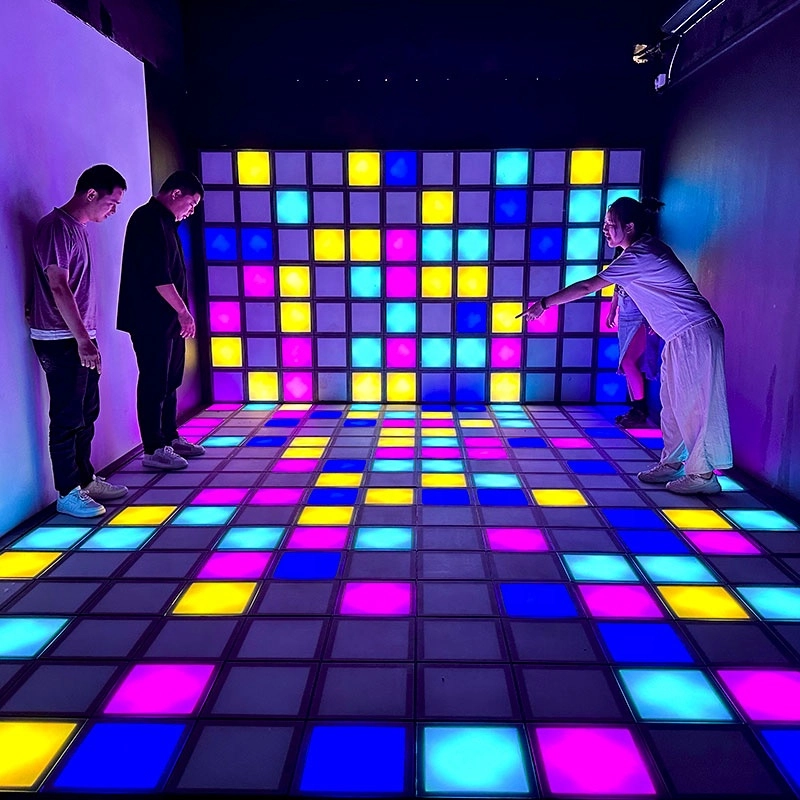
Hottest activated LED dance grid tiles floor touch games
Super Grid is an immersive sports game that combines sports and technology. It integrates interactive LED lights and sensors through innovative software design, creating a fun gaming experience.
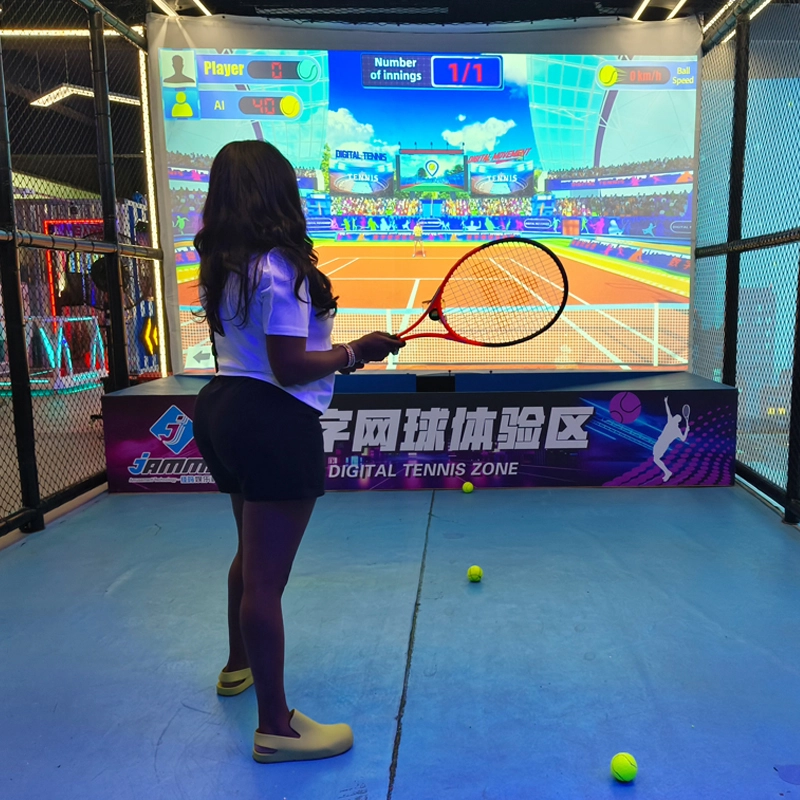
Top Indoor Tennis Racketball Training Simulator Dual Player Games
Interactive somatosensory fitness game
Combine traditional tennis sports with advanced 3D digital technology to bring customers an immersive tennis training experience
COMBINE TRADITIONAL TENNIS SPORTS WITH ADVANCED 3D DIGITAL TECHNOLOGY TO BRING CUSTOMERS AN IMMERSIVE TENNIS TRAINING EXPERIENCE INDOOR AND TENNIS EXPERIENCE HALL
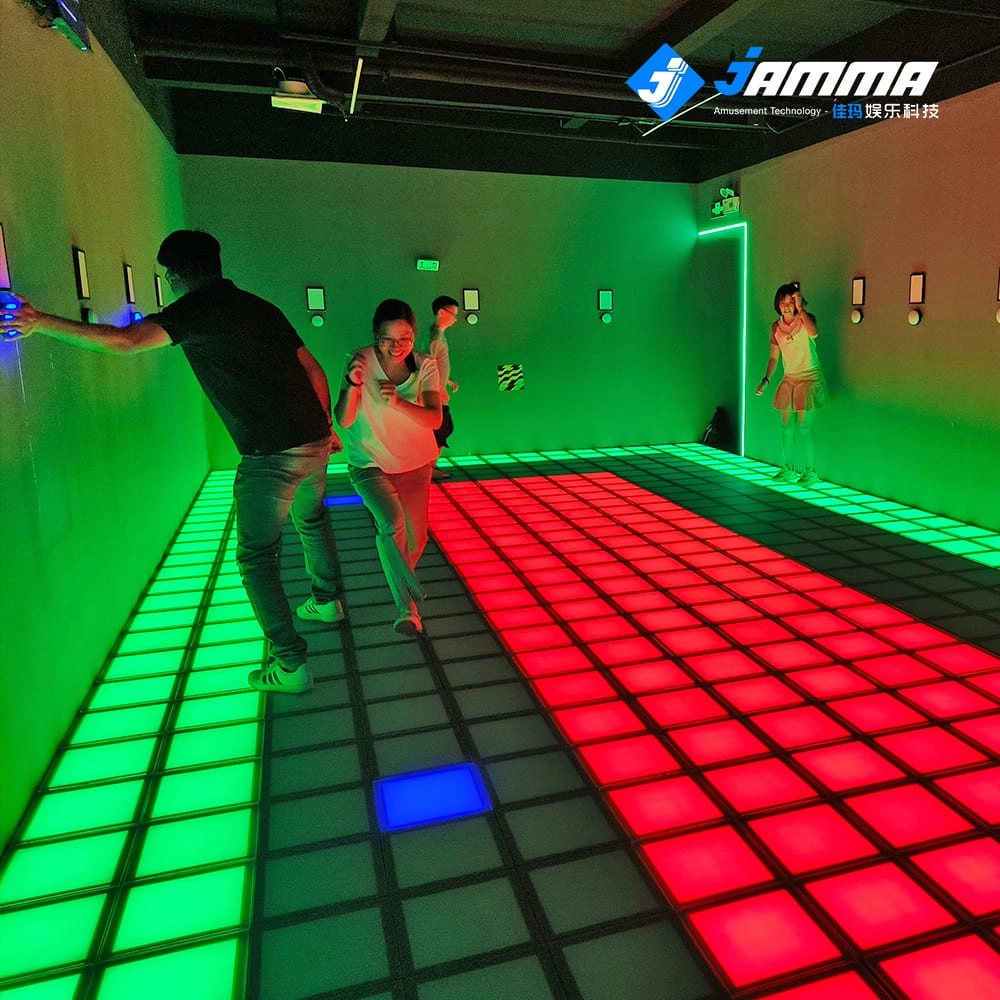
Super Grid Interactive LED Floor Activate Game Team Play
Super Grid is an immersive sports game that combines sports and technology. It integrates interactive LED lights and sensors through innovative software design, creating a fun gaming experience.
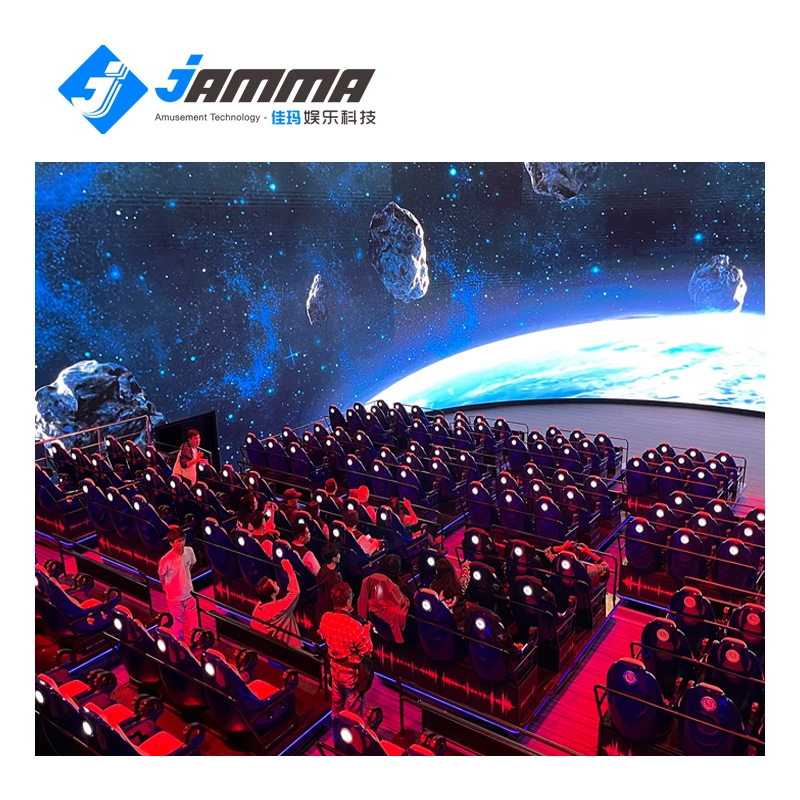
Immersive 5D/7D/9D cinema dynamic visual experience room
Compared with other types of theaters, 5D/7D/9D cinema have high technical content, prominent themes, and have a strong impact on the characteristics of the picture. With the increasing demand in the entertainment market and the continuous development of video entertainment technology, in the past, audiences would experience vibration, drop, rain, scratches and other effects in some 4D theaters, but now with 5D theaters, audiences can experience new Unique features, touch and feel effects such asreal smoke, water, snow, bubbles, smell, lightning, leg touch,camera system and more. When the audience is watching amovie, the seats and environmental effects will change into corresponding actions according to the development of the movie,allowing the audience to experience an immersive viewing experience.
