

Safety and Accessibility in Sports Simulators
- Designing Safe and Inclusive Sports Simulation Experiences
- Why safety and accessibility matter for sports simulation
- Common risks associated with sports simulation
- Standards, regulations and guiding frameworks for sports simulation
- Design strategies to reduce physical and electrical risk in sports simulation
- Accessibility strategies to make sports simulation inclusive
- Comparing simulator types: safety and accessibility considerations
- Operational policies: check-in, screening and staff training
- Testing, monitoring and continuous improvement
- JAMMA Amusement — Safe, Accessible Sports Simulation Solutions
- How to choose the right sports simulation partner
- Frequently Asked Questions (FAQs)
- 1. Are sports simulators safe for children and seniors?
- 2. How can venues reduce cybersickness in VR-based sports simulation?
- 3. What accessibility features should I require from a sports simulation supplier?
- 4. How often should equipment be inspected and maintained?
- 5. What cleaning protocols minimize infection risk without damaging equipment?
- 6. Do I need special insurance for sports simulation installations?
- References
Designing Safe and Inclusive Sports Simulation Experiences
Sports simulation is reshaping training, entertainment and venue revenue, but safety and accessibility must be core design drivers. Well-designed sports simulation installations reduce injury risk, broaden customer reach, comply with law, and improve return on investment. This article provides a practical, standards-informed guide for operators, designers and buyers to make sports simulation experiences both safer and more inclusive.
Why safety and accessibility matter for sports simulation
Sports simulation appeals to diverse users: athletes, children, seniors and people with disabilities. According to the World Health Organization, about 15% of the world’s population has some form of disability; inclusive design directly expands your market and meets legal obligations in many jurisdictions. Safety failures cause reputational damage, liability exposure and lost revenue. That makes a proactive, documented safety and accessibility program a strategic asset for any venue investing in sports simulation systems.
Common risks associated with sports simulation
Understanding the specific hazards helps target mitigation. Typical risks in sports simulation systems include:
- Physical impact and entrapment: moving components, swinging arms, or participants losing balance.
- Trip and fall hazards: cables, uneven platforms, wet floors, inadequate guardrails.
- Physiological effects (cybersickness): nausea, disorientation and balance issues arising from mismatched visual and vestibular cues.
- Ergonomic strain: inappropriate seating, poorly arranged controls or extended static postures.
- Electrical and fire risks: inadequate grounding, overloaded circuits or poor equipment protection.
- Infectious disease transmission: shared touchpoints such as grips, screens and headsets.
- Cognitive and sensory accessibility barriers: interfaces that exclude people with vision, hearing or cognitive impairments.
Effective safety programs address engineering controls, administrative procedures and user-facing accessibility options.
Standards, regulations and guiding frameworks for sports simulation
Key standards and guidance applicable to sports simulation environments include:
- ADA (Americans with Disabilities Act) Standards for Accessible Design — provides accessibility requirements for public accommodations and commercial facilities (ada.gov).
- ASTM F2291 — Standard Practice for Design of Amusement Rides and Devices — applicable design principles for ride-like moving installations (ASTM International).
- IEC 62368-1 — safety for audio/video and information technology equipment — relevant for electrical and electronic components.
- Industry best practices from the VR Industry Forum and academic literature on cybersickness (VR-IF; peer-reviewed studies).
- Local building, electrical and fire codes — always confirm with local authorities having jurisdiction.
These documents set minimum expectations; good providers and operators should exceed them where possible.
Design strategies to reduce physical and electrical risk in sports simulation
Engineering controls are the most reliable way to prevent harm. Recommended measures for sports simulation systems include:
- Physical separation and barriers: guardrails, clear safety envelopes and transparent screens for spectator areas.
- Emergency stop systems: easy-to-reach E-stop buttons that cut power to moving components and bring motion platforms to a controlled rest.
- Non-slip flooring and unified level surfaces: reduce trips and falls; maintain slope and drainage to avoid pooling.
- Robust cable management: floor channels and recessed or overhead routing to eliminate exposed trip hazards.
- Redundant electrical protection: RCD/GFCI, surge protection, clearly labeled breaker panels and UL/CE/IEC compliance for equipment.
- Padding and impact-absorbing materials: on frame edges and contact points, especially around high-energy moving parts.
- Regular preventive maintenance: documented schedules for inspection, lubrication, firmware updates and safety system tests.
Accessibility strategies to make sports simulation inclusive
Accessibility means more than wheelchair ramps. It requires flexible interfaces and choices that accommodate sensory and cognitive diversity. Practical accessibility features for sports simulation include:
- Multiple control methods: hand controllers, large-button panels, touch-free gesture or voice options where possible.
- Seated and standing modes: adjustable seating, removable footrests, and stable supports for users who need them.
- Customizable difficulty and sensitivity: scale speed, range of motion and visual intensity to accommodate different abilities and vestibular tolerance.
- Accessible UI and content: high-contrast text, large fonts, screen reader compatibility and subtitles for audio instructions.
- Haptic and audio cues: supplement visuals for players with limited vision; ensure captions for all audio cues.
- Sanitization-friendly design: removable covers, antimicrobial materials and guidance for rapid cleaning between users.
- Clear signage and staff assistance: pre-use information on accessibility options and staff trained to provide accommodations.
Comparing simulator types: safety and accessibility considerations
| Simulator Type | Primary Risks | Accessibility Strengths | Key Mitigations |
|---|---|---|---|
| VR headset-based sports simulation | Cybersickness, balance loss, headset hygiene | High configurability (FOV, seated mode), but vision-dependent | Short sessions, guardian boundaries, adjustable comfort settings, hygiene covers |
| AR projection / screen-based simulators | Trips, impact from equipment, glare/contrast issues | Better for shared experiences; easier to provide large text/audio | Clear floor markings, seating options, controlled lighting |
| Full-motion platforms or mechanical simulators | Mechanical hazards, entrapment, higher injury risk if unrestrained | Can provide secure harnessed options for many users | Redundant safety interlocks, harness systems, emergency stops |
| Stationary screen/console simulators | Ergonomic strain, repetitive motion | Generally the most accessible (seated/voice control) | Adjustable seating, button labeling, regular breaks and ergonomic design |
Operational policies: check-in, screening and staff training
Engineering measures must be backed by clear policies and trained staff. Recommended operational practices include:
- Pre-use screening and warnings: visible signage about age, pregnancy, epilepsy and motion-sickness risk; verbal screening for at-risk users.
- Informed consent and advisories: quick user briefings with emergency procedures and duration recommendations.
- Session length limits and mandatory rests: short sessions (e.g., 5–15 minutes) reduce cybersickness risk and fatigue.
- Staff training: operation, emergency stop use, first aid basics, accommodation techniques and infection-control cleaning protocols.
- Incident reporting: standardized forms and follow-up procedures to capture near-misses and injuries for continuous improvement.
Testing, monitoring and continuous improvement
Safety is iterative. Implement these measurement and testing approaches:
- User testing across diverse groups: recruit participants with different ages, body types and abilities to validate accessibility features.
- Quantitative monitoring: log sessions, durations, and reported discomfort; correlate with content types and hardware configurations.
- Performance requirements: maintain minimum frame rates and latencies known to reduce cybersickness (higher frame rates and low latency reduce visual-vestibular mismatch).
- Routine certification checks: electrical safety tests, E-stop functionality testing, and structural inspections according to manufacture recommendations.
Academic research shows that reducing latency and maintaining consistent frame rates substantially reduces cybersickness, so hardware and software performance specifications are safety features in their own right (LaViola, 2000).
JAMMA Amusement — Safe, Accessible Sports Simulation Solutions
JAMMA Amusement was established in 2009 and is located in Guangzhou with 15 years of experience in the amusement industry. We focus on providing high-value, one-stop solutions for amusement projects. Our product portfolio includes VR games, AR sports simulators, AR interactive projection games, 5D cinema, arcade games and outdoor playground equipment.
JAMMA combines a highly efficient international sales team that understands customer needs with an industry-leading technical team that continuously develops and updates products to keep pace with technology and accessibility standards. Our manufacturing and after-sales teams are skilled and experienced, providing comprehensive technical support and preventive maintenance programs. We are committed to becoming a leading global provider of amusement equipment and park solutions.
How JAMMA addresses safety and accessibility in sports simulation:
- Design-for-safety: mechanical designs with redundant emergency stops, sealed and tamper-resistant components, and clear safety envelopes.
- Accessibility-first UX: adjustable seating, multiple control modalities, scalable difficulty and captions/audio prompts across products.
- Compliance and testing: electrical and structural testing, documented maintenance schedules and staff training packages provided to customers.
- After-sales and service: spare parts, rapid-response support and proactive firmware updates to keep simulators operating within safe parameters.
JAMMA's core product advantages: Sports Simulators, Interactive Projection Games, Immersive Attractions and VR Games. These products are engineered for commercial operations with attention to safety, sanitation, accessibility options and operator efficiency. Learn more at https://www.jammapark.com/.
How to choose the right sports simulation partner
When evaluating vendors for sports simulation installations, ask for:
- Documented safety certifications and test reports (electrical, mechanical).
- Accessibility feature lists and demonstrable accommodations (seating, controls, UI options).
- Maintenance plans, spare-parts availability and average lead times for service.
- Training programs for venue staff and on-site commissioning support.
- References from venues with similar scale and use-cases.
Vendors who partner in site planning (flooring, power, egress) reduce project risk and speed time-to-revenue.
Frequently Asked Questions (FAQs)
1. Are sports simulators safe for children and seniors?
Yes, with appropriate system selection and operational controls. Choose simulators with adjustable difficulty, seating options and clear age/height guidance. Staff should screen for contraindications (e.g., balance disorders) and supervise sessions.
2. How can venues reduce cybersickness in VR-based sports simulation?
Use high-refresh-rate displays, minimize motion-to-photon latency, design predictable camera motion, provide seated modes, allow field-of-view reduction and impose short session limits. Collect user feedback and adjust settings accordingly.
3. What accessibility features should I require from a sports simulation supplier?
Require adjustable seating, multiple input options (large buttons, voice, gesture), subtitles/captions, screen-reader compatibility for menus, high-contrast UI options and documented accommodations for mobility devices.
4. How often should equipment be inspected and maintained?
Follow manufacturer guidance, but daily visual checks, weekly functional tests of critical safety systems (E-stop), and quarterly or semi-annual detailed inspections are common for commercial installations. Keep written logs.
5. What cleaning protocols minimize infection risk without damaging equipment?
Use manufacturer-approved disinfectants, removable and washable covers for high-touch surfaces, UV or spray disinfecting where appropriate, and enforce short gaps between sessions for cleaning. Avoid excessive liquids near electronics.
6. Do I need special insurance for sports simulation installations?
Yes — review your general liability and premises insurance. Inform insurers of dynamic attractions and confirm coverage limits. Many venues purchase additional amusement-specific liability coverage.
If you have more questions or want a site consultation, contact JAMMA Amusement for product specifications, safety datasheets and a tailored solution: https://www.jammapark.com/.
References
- World Health Organization — Disability and health. https://www.who.int/news-room/fact-sheets/detail/disability-and-health (accessed 2025-11-20).
- Americans with Disabilities Act (ADA) Standards for Accessible Design. https://www.ada.gov/2010ADAstandards_index.htm (accessed 2025-11-20).
- ASTM International — F2291 Standard Practice for Design of Amusement Rides and Devices. https://www.astm.org/Standards/F2291.htm (accessed 2025-11-20).
- LaViola, J. J., Jr. (2000). A discussion of cybersickness in virtual environments. https://www.cs.umd.edu/~lav/publications/LaViola-vrj-2000.pdf (accessed 2025-11-20).
- VR Industry Forum — Best Practices and Guidelines. https://vr-if.org/ (accessed 2025-11-20).
- IEC Standards Catalogue — IEC 62368-1. https://www.iec.ch/standards-catalogue (accessed 2025-11-20).
- UL — Product safety and certification resources. https://www.ul.com/ (accessed 2025-11-20).
Contact JAMMA Amusement to request datasheets, safety certifications or an on-site risk assessment: https://www.jammapark.com/.
Profitability: Indoor Playground Revenue Streams
Why choose JAMMA as your activate game manufacturer in UK
Best professional commercial golf simulator manufacturers and supplier brands in Dubai
Top 10 bowling equipment cost Manufacturers and Supplier Brands in America
Standard and other
How will it be transported?
For large items, we usually use sea freight, while for small items, we use air freight or services like DHL, FedEx, or UPS. We can also accommodate specific shipping methods based on your requirements.
Do you offer installation services?
Our professional implementation team can provide equipment installation and debugging services to ensure smooth operation. Our installation services is chargeable and you can contact us in to inquire about the service fees.
Do you offer a customized service?
We can provide logo customization service for all of our products. For certain products, we can also support customization of sizes and game content. If you have any product customization requirements, please contact us and we will confirm the details with you.
Product details
Are glasses required to see a 5D film?
Audience needs to wear 3D glasses while watching movie, but not VR glasses.
What are the special effects in a 5D cinema?
JAMMA 5D cinema has special effects such as water spray, smoke, bubbles, snow, lightning and so on, which allows it to provide a realistic and immersive experience.
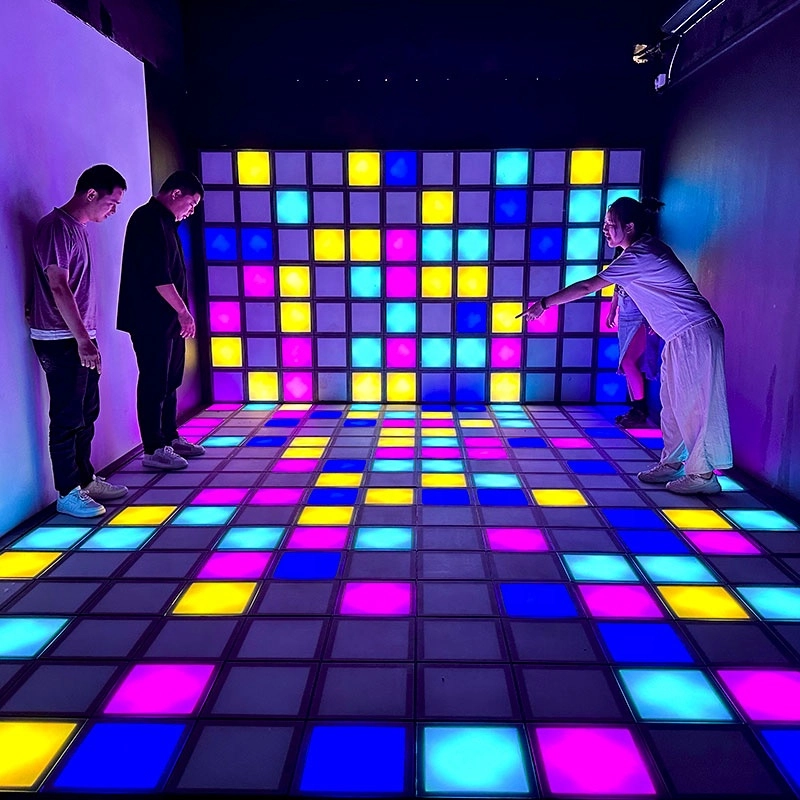
Hottest activated LED dance grid tiles floor touch games
Super Grid is an immersive sports game that combines sports and technology. It integrates interactive LED lights and sensors through innovative software design, creating a fun gaming experience.
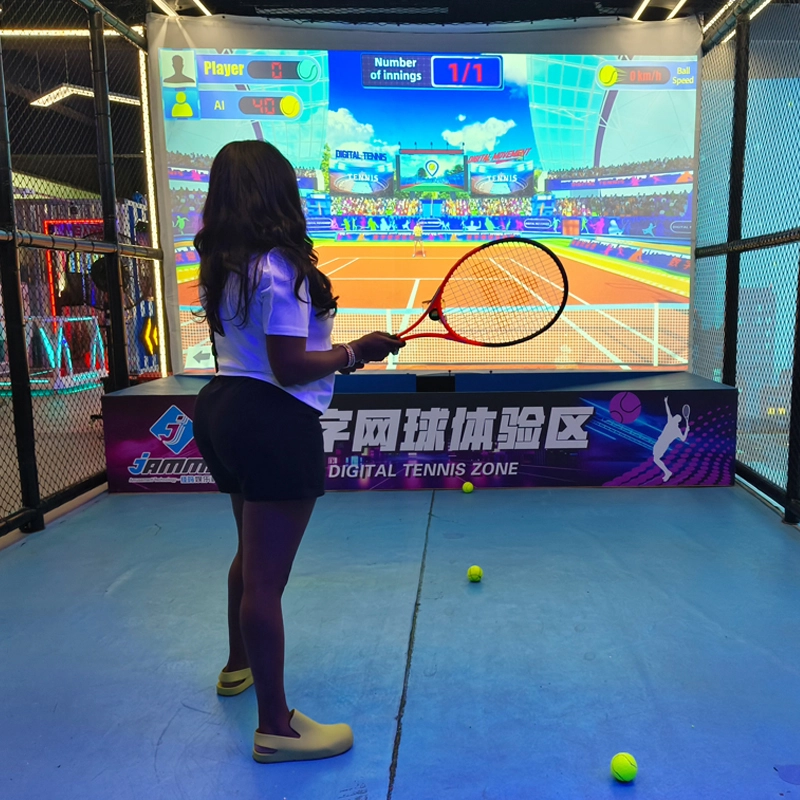
Top Indoor Tennis Racketball Training Simulator Dual Player Games
Interactive somatosensory fitness game
Combine traditional tennis sports with advanced 3D digital technology to bring customers an immersive tennis training experience
COMBINE TRADITIONAL TENNIS SPORTS WITH ADVANCED 3D DIGITAL TECHNOLOGY TO BRING CUSTOMERS AN IMMERSIVE TENNIS TRAINING EXPERIENCE INDOOR AND TENNIS EXPERIENCE HALL
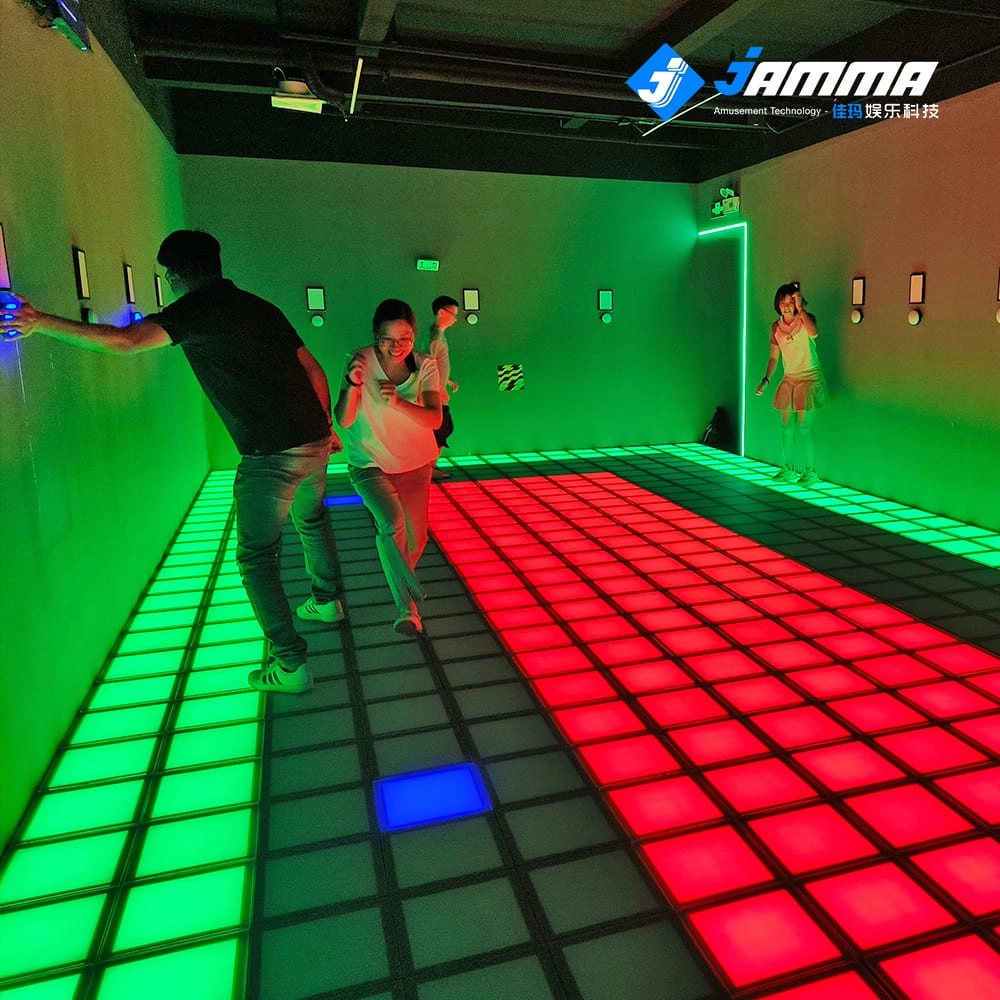
Super Grid Interactive LED Floor Activate Game Team Play
Super Grid is an immersive sports game that combines sports and technology. It integrates interactive LED lights and sensors through innovative software design, creating a fun gaming experience.
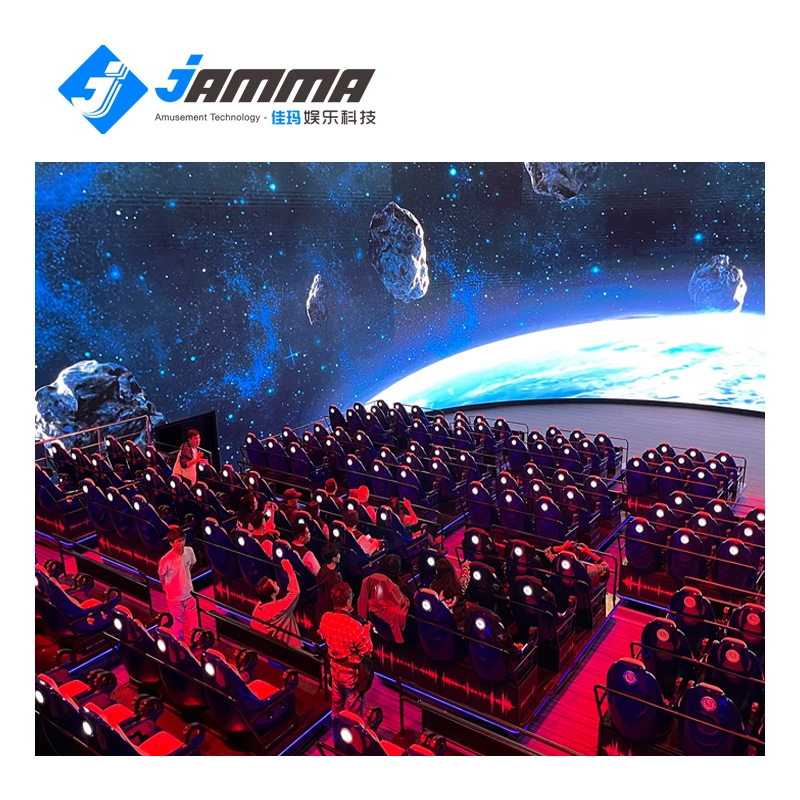
Immersive 5D/7D/9D cinema dynamic visual experience room
Compared with other types of theaters, 5D/7D/9D cinema have high technical content, prominent themes, and have a strong impact on the characteristics of the picture. With the increasing demand in the entertainment market and the continuous development of video entertainment technology, in the past, audiences would experience vibration, drop, rain, scratches and other effects in some 4D theaters, but now with 5D theaters, audiences can experience new Unique features, touch and feel effects such asreal smoke, water, snow, bubbles, smell, lightning, leg touch,camera system and more. When the audience is watching amovie, the seats and environmental effects will change into corresponding actions according to the development of the movie,allowing the audience to experience an immersive viewing experience.
