

How to Set Up a Wall-Mounted LED Control System for a Push Button Activate Game?
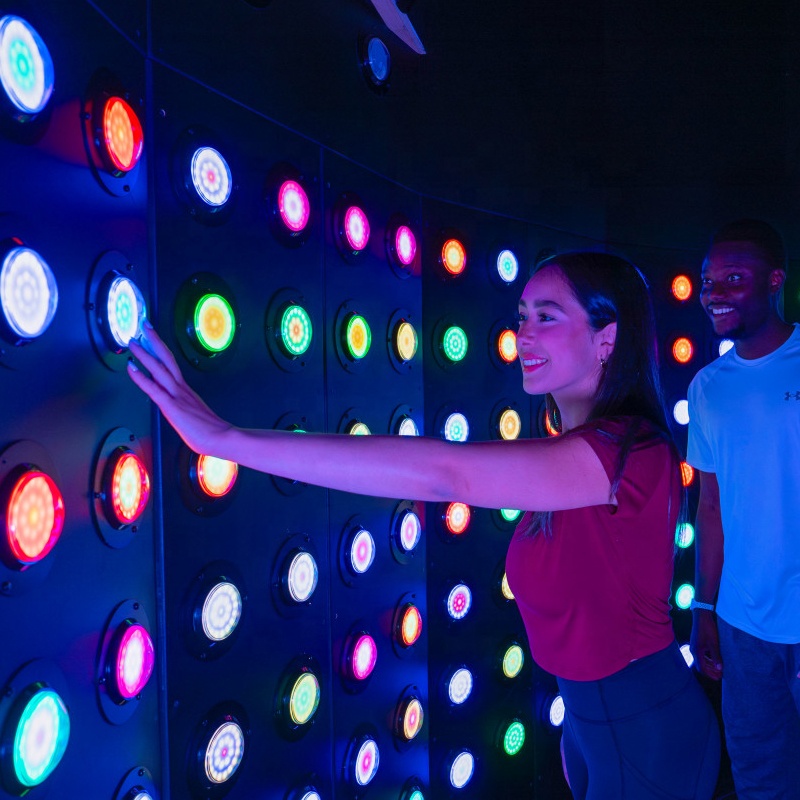
One of the most exciting installations is the wall-mounted LED control system for a push button Activate game. These systems combine fast reaction gameplay, LED lighting, and responsive software to create competitive and immersive experiences.
- Why Install an Activate Push LED-Controlled Touchscreen Game Booth?
- Key Benefits of LED Push Button Games
- Core Components of a Wall-Mounted LED Control System
- Main Hardware Components
- Optional Add-On Devices
- Installation Process: Step-by-Step Setup Guide
- Step 1 – Space Planning
- Step 2 – Frame Structure Installation
- Step 3 – LED Push Button Mounting
- Step 4 – Wiring and LED Control System
- Step 5 – Software Configuration
- Step 6 – Testing and Calibration
- Comparison of LED Push Button Game System Options
- Frequently Asked Questions
- 1. How many buttons are recommended for a push button Activate game?
- 2. Can LED push button game systems be customized?
- 3. Is the system suitable for children and adults?
Why Install an Activate Push LED-Controlled Touchscreen Game Booth?
Interactive reaction games have become one of the hottest attractions in modern game venues. Compared with traditional arcade machines, push button LED games provide a more dynamic and competitive experience.
Key Benefits of LED Push Button Games
✦ Fast reaction gameplay
Players must press illuminated buttons quickly to score points.
✦ Highly visible LED effects
Color-changing lights create excitement and attract players.
✦ Multiplayer competition
Perfect for group entertainment and team challenges.
✦ Flexible installation options
Wall-mounted systems save space while maximizing interaction.
✦ High replay value
Different game modes keep visitors returning.
Because of these advantages, many entertainment businesses now buy LED push button game systems for their stores or gaming zones.
Core Components of a Wall-Mounted LED Control System
To install an Action LED push button Game, you must first understand the system structure. A typical system includes several hardware and software components.
Main Hardware Components
● LED Push Button Modules
Durable illuminated buttons installed on the wall.
● LED Controller System
Controls lighting patterns and signal responses.
● Interactive Game Software
Runs game logic, scoring systems, and modes.
● Central Control Computer
Manages gameplay and player interaction.
● Power Supply System
Ensures stable electricity for LED modules.
● Wall Mount Frame Structure
Holds all push button modules securely.
Optional Add-On Devices
★ Touchscreen displays
★ Player scoreboards
★ Sound effect systems
★ RFID player tracking
Installation Process: Step-by-Step Setup Guide
Step 1 – Space Planning
Before installing the system, determine:
• Wall size
• Player movement space
• Power outlet locations
• Safety clearance
Typical installation areas include:
✔ game centers
✔ sports training venues
✔ entertainment parks
✔ shopping mall attractions
Step 2 – Frame Structure Installation
Next, install the wall frame system.
The frame must:
• Support LED modules
• Allow cable management
• Ensure long-term durability
Professional suppliers often use steel or aluminum frames.
Step 3 – LED Push Button Mounting
Once the frame is ready, mount the LED push buttons.
Installation tips:
★ Keep equal spacing between buttons
★ Maintain ergonomic height for players
★ Ensure cable connections remain accessible
A standard system may include 16 to 64 buttons depending on the game design.
Step 4 – Wiring and LED Control System
After mounting the buttons, connect them to the LED controller system.
Important considerations:
✔ Use organized cable channels
✔ Label every connection port
✔ Ensure stable signal transmission
This stage ensures the Action LED push button Game operates smoothly.
Step 5 – Software Configuration
Next, install the interactive game software.
The software controls:
• button activation logic
• game scoring rules
• timing systems
• multiplayer modes
• LED color patterns
Professional systems from jamma company include customizable software for different game modes and difficulty levels.
Step 6 – Testing and Calibration
Before opening the game to players, conduct thorough testing.
Testing checklist:
✓ button response speed
✓ LED color changes
✓ player score accuracy
✓ system stability
Comparison of LED Push Button Game System Options
Different venues may choose different configurations depending on budget, space, and gameplay goals.
| System Type | Installation Style | Typical Price Range | Best Use Case |
|---|---|---|---|
| Basic Push Button Wall | Small LED button grid | Low price | Kids play areas |
| Standard Activate System | Medium LED reaction wall | Medium price | Arcades and game stores |
| Touchscreen Game Booth | LED buttons + display | Higher price | Competitive gaming centers |
| Premium Interactive Arena | Large LED wall + sensors | High price | Theme parks |
Frequently Asked Questions
1. How many buttons are recommended for a push button Activate game?
Most systems use 16–64 LED buttons depending on the game size and difficulty level.
2. Can LED push button game systems be customized?
Yes. Professional manufacturers like jamma provide custom layouts, game software, and LED designs based on venue requirements.
3. Is the system suitable for children and adults?
Absolutely. The interactive reaction gameplay can be adjusted through software difficulty settings, making it suitable for players of all ages.
Activate Games Price Guide: What Does It Cost to Build an Interactive Challenge Room?
What Are Activate Games and Why Are They the Hottest FEC Attraction?

Can Action LED Floor Games Build Physical and Mental Strength?
How Can Simulator Design Solutions Transform Sports & Fitness Game Zones?
What Is the Configuration, Structure, and Working Principle of VR Dynamic 7D Cinema?
Standard and other
Are you an amusement park equipment manufacturer?
Yes. We have our own production factory, which is located in Guangzhou, China, covering an area of over 2,000 square meters. With our professional production team, we are able to ensure high quality and on-time delivery of our products. All products have undergone rigorous testing and quality inspection. You are welcome to visit our factory.
How long is the warranty period?
Our products have a one-year warranty period. During the warranty period, if there are any issues with the product that are not caused by human error, we can replace the parts for you free of charge. If the problems are caused by improper use, you will need to purchase the parts and bear the shipping costs yourself.
Do you offer installation services?
Our professional implementation team can provide equipment installation and debugging services to ensure smooth operation. Our installation services is chargeable and you can contact us in to inquire about the service fees.
Product details
Does the soccer simulator configuration include the curtain?
Yes, a 4-meter-wide, 3-meter-high projection curtain is included.
What are the special effects in a 5D cinema?
JAMMA 5D cinema has special effects such as water spray, smoke, bubbles, snow, lightning and so on, which allows it to provide a realistic and immersive experience.
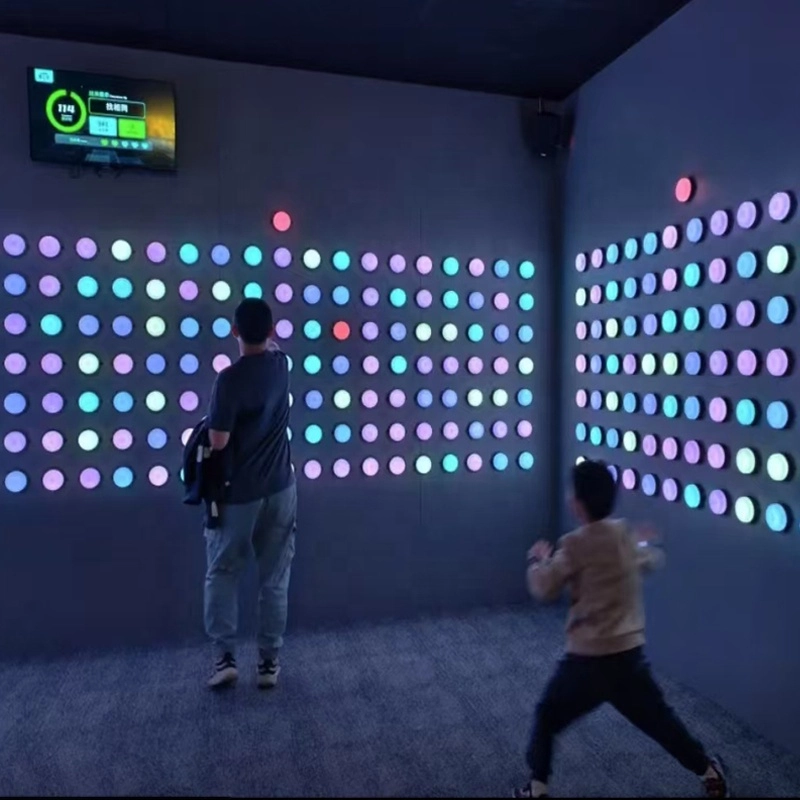
Activate wall led lights team push challenge game room
Push is an observation and strategy challenge game. Surrounded by multi-colored button walls, players need to quickly identify and find differences and patterns, use strategy, memory, and collaboration to press the right buttons within the time limit to complete the tasks.
Get in Touch With JAMMA
Would you like to learn more about indoor & outdoor playground equipment?
We would be happy to help you and find the best solution for your needs.
