

Maintenance Checklist for Multi-sport Simulators
- Keeping Your Multi-sport Simulator Game-Ready: Essential Maintenance Practices
- Why a Structured Maintenance Plan Matters for Your Multi-sport Simulator
- Safety, Compliance and Operational Readiness for Multi-sport Simulator Venues
- Daily Checklist: Quick Routines to Keep Multi-sport Simulators Operational
- Weekly Checklist: Preventative Steps for Reliability
- Monthly Checklist: Mechanical, Electrical and Software Maintenance
- Quarterly and Annual Checks: Deep Maintenance and Lifecycle Tasks for Multi-sport Simulator Hardware
- Maintenance Schedule Table: Frequency, Tasks and Typical Time Estimates
- Software, Firmware and Network Health for Multi-sport Simulator Systems
- Parts, Inventory and Spare Management
- Cost and ROI Considerations for Proactive Multi-sport Simulator Maintenance
- Common Failures and Troubleshooting for Multi-sport Simulators
- Training, Documentation and Operator Procedures for Reliable Simulator Operations
- Why Manufacturer Support and Service Agreements Matter
- JAMMA Amusement: Maintenance Support and Industry Capabilities
- How JAMMA Stands Out for Multi-sport Simulator Operators
- Checklist Template: Printable/CMMS Fields for Each Maintenance Task
- Final Recommendations and Best Practices
- Frequently Asked Questions (FAQ)
- 1. How often should I recalibrate my Multi-sport Simulator sensors?
- 2. Can regular maintenance extend the useful life of a Multi-sport Simulator?
- 3. What are the most common causes of simulator downtime?
- 4. Should I perform firmware updates immediately when released?
- 5. What spare parts should be kept on-site for a Multi-sport Simulator?
- 6. Is it better to have in-house technicians or outsource maintenance?
- Contact JAMMA for Product and Service Support
- References and Further Reading
Keeping Your Multi-sport Simulator Game-Ready: Essential Maintenance Practices
Why a Structured Maintenance Plan Matters for Your Multi-sport Simulator
Multi-sport Simulator owners and operators face unique operational demands: high-frequency use, mixed-sport mechanics (balls, bats, clubs), complex sensors and optics, and expectations for near-continuous uptime. A structured maintenance checklist preserves equipment life, reduces unscheduled downtime, ensures user safety, and protects revenue. This guide draws on industry best practices and operational experience to give venue operators an actionable maintenance framework for Multi-sport Simulator assets.
Safety, Compliance and Operational Readiness for Multi-sport Simulator Venues
Before diving into daily tasks, operators must ensure the simulator setup meets local safety standards (electrical, fire, and public attraction regulations). Key measures include compliant electrical wiring, functional emergency stops, clear user instructions, and documented lockout/tagout procedures for technicians. Following recognized guidance such as IAAPA safety recommendations and OSHA lockout/tagout practices reduces liability and protects guests and staff.
Daily Checklist: Quick Routines to Keep Multi-sport Simulators Operational
Daily checks should be fast, repeatable, and performed before open hours. Typical daily tasks: visual inspection, power-on diagnostics, sanitation, and basic calibration checks. Below is a concise daily checklist operators can use at shift start.
- Visual inspection of play area, enclosure screens, and impact zones for damage.
- Confirm emergency stop(s) and safety interlocks are functional.
- Power up system and verify startup diagnostics (sensor status, camera feeds, projector alignment).
- Clean high-touch surfaces and player interfaces (sanitizing per manufacturer guidance).
- Log any anomalies in the operator logbook or CMMS (Computerized Maintenance Management System).
Weekly Checklist: Preventative Steps for Reliability
Weekly maintenance goes deeper: mechanical inspections, software health checks, and consumable replacement. These tasks typically take 30–90 minutes per unit depending on the setup complexity.
- Inspect and tighten fasteners on mounting frames, screens, and motion components.
- Check cables and connectors for wear, proper routing, and strain relief.
- Verify projector lamp hours (or LED status) and check image focus/alignment.
- Test game physics for calibration drift (verify ball/club tracking accuracy).
- Backup system logs and export recent performance metrics.
Monthly Checklist: Mechanical, Electrical and Software Maintenance
Monthly tasks should be scheduled during low-traffic periods. They typically require a technician with system-level access.
- Full sensor recalibration (radar, camera arrays, infrared arrays) and verification against manufacturer reference targets.
- Lubricate mechanical joints and actuators where applicable per manufacturer specs.
- Inspect and clean airflow vents and replace particle filters in projector / PC enclosures.
- Apply software and firmware updates after reviewing release notes and compatibility with venue settings.
- Review spare parts inventory and reorder critical components if stock is low.
Quarterly and Annual Checks: Deep Maintenance and Lifecycle Tasks for Multi-sport Simulator Hardware
Quarterly and annual maintenance focuses on lifecycle preservation—replacing wear items, full electrical inspections, and safety audits. Annual tasks are often best handled with vendor support or certified technicians.
- Quarterly: replace consumables (sensor caps, protective screen covers), inspect bearings and belts, verify enclosure integrity.
- Annual: comprehensive electrical safety inspection, HVAC assessment for machine rooms, full software integrity audit, and performance benchmark tests versus factory baseline.
- Document a Condition Assessment Report and plan capital expenditures for replacements 12–36 months out.
Maintenance Schedule Table: Frequency, Tasks and Typical Time Estimates
| Frequency | Key Tasks (Multi-sport Simulator) | Estimated Time | Required Skill/Tool |
|---|---|---|---|
| Daily | Visual check, emergency stop test, sanitize interfaces, startup diagnostics | 10–20 min | Operator; basic toolbox, sanitizer |
| Weekly | Tighten hardware, cable inspection, image alignment, backup logs | 30–90 min | Technician; hand tools, laptop |
| Monthly | Sensor recalibration, ventilation cleaning, firmware updates | 1–3 hours | Certified tech; calibration tools, spare filters |
| Quarterly | Consumable replacement, bearing and belt checks, spare parts audit | 2–4 hours | Technician; replacement parts |
| Annual | Electrical safety inspection, HVAC review, full performance benchmark | 1 day | Certified electrician/engineer; test equipment |
Software, Firmware and Network Health for Multi-sport Simulator Systems
Modern Multi-sport Simulators rely heavily on software: game engines, tracking middleware, and networked cloud services. A disciplined approach to software maintenance reduces downtime and cyber risk:
- Maintain a test environment for updates; validate patches before deployment to live units.
- Schedule non-critical updates during off-hours and maintain rollback plans.
- Monitor system logs and set alerts for degraded performance metrics (frame drops, sensor packet loss).
- Enforce network security best practices: segregated VLAN for game systems, updated firmware on routers, and endpoint protection on PCs.
Parts, Inventory and Spare Management
Spare-part planning is crucial. Keep a basic on-site kit (projector lamp or LED modules, network cables, power supplies, common sensors, fuses, and a spare PC image). For venues with multiple simulators consider centralized stock and replenishment thresholds documented in a CMMS.
Cost and ROI Considerations for Proactive Multi-sport Simulator Maintenance
Preventative maintenance reduces unscheduled downtime, which directly impacts revenue. The table below outlines a conservative comparison: estimated annual cost for proactive maintenance vs. reactive repair and expected downtime impact. Numbers are illustrative industry ranges—adjust for local labor and vendor rates.
| Approach | Estimated Annual Maintenance Cost (per unit) | Estimated Downtime (hours/year) | Business Impact |
|---|---|---|---|
| Proactive (scheduled PM + staff training) | $1,500–$4,000 | 10–40 | Higher uptime, predictable expenses |
| Reactive (repair as needed) | $3,000–$12,000+ | 40–200+ | Unpredictable costs, lost revenue |
Note: Actual costs depend on region, equipment complexity, and local service rates. Investing in proactive maintenance typically yields positive ROI through reduced lost play hours and extended equipment life.
Common Failures and Troubleshooting for Multi-sport Simulators
Frequent issues include sensor drift, projector alignment issues, heat-related shutdowns, network latency, and mechanical wear. Troubleshooting approach:
- Replicate the issue and document exact conditions (game mode, time, operator logs).
- Check basic items: cabling, connector seating, power indicators.
- Review system logs for errors and timestamps; correlate with operator reports.
- If a sensor reports drift, recalibrate using manufacturer procedures and test against a known target.
- For image problems, verify projector source, cable (HDMI/DP), and GPU driver status.
Training, Documentation and Operator Procedures for Reliable Simulator Operations
Operational reliability depends on consistent staff practices. Key elements:
- Standard Operating Procedures (SOPs) for daily/weekly checks and emergency responses.
- Maintenance manuals with serial-numbered parts lists and exploded diagrams accessible to technicians.
- Scheduled staff training sessions and technician certification processes.
- Digital logs (CMMS) to track work orders, parts used, and recurring faults for continuous improvement.
Why Manufacturer Support and Service Agreements Matter
Service-level agreements (SLAs) and extended warranties from the manufacturer provide vital risk mitigation—fast part replacement, remote diagnostics, and certified technicians. For multi-sport experience providers, vendor support reduces time to repair and helps maintain consistent guest experience.
JAMMA Amusement: Maintenance Support and Industry Capabilities
JAMMA Amusement was established in 2009, located in Guangzhou, with 15 years of experience in the amusement industry. Focusing on providing high-value, one-stop solutions for amusement projects, our products include VR games, AR sports simulators, AR interactive projection games, 5D cinema, as well as arcade games and outdoor playground equipment. We have a highly efficient international sales team dedicated to understanding customer needs and providing professional solutions and high-quality products for venues. Our industry-leading technical team keeps abreast of the latest technological trends and continuously develops and updates the products. Our manufacturing and after-sales teams are skilled and experienced, providing comprehensive technical support. We are committed to becoming a leading global provider of amusement equipment and park solutions. Our website is https://www.jammapark.com/.
How JAMMA Stands Out for Multi-sport Simulator Operators
When selecting a partner for Multi-sport Simulator procurement and maintenance, JAMMA’s advantages include:
- End-to-end solutions: from design and manufacturing to installation and after-sales service.
- Product range and specialization: Sports Simulators, Interactive Projection Games, Immersive Attractions, and VR Games.
- Technical strength: dedicated R&D and a technical team that updates products to meet current market and technology standards.
- Operational support: experienced international sales and after-sales teams offering venue-tailored solutions and maintenance planning.
Checklist Template: Printable/CMMS Fields for Each Maintenance Task
Operators can import this into a CMMS or print it for daily use. Essential fields:
- Date / Time
- Unit ID / Location
- Task description (daily/weekly/monthly)
- Performed by (name)
- Time taken
- Parts used / Part numbers
- Issues found / Corrective actions
- Next scheduled task
Final Recommendations and Best Practices
1) Establish a documented maintenance plan tied to business hours and seasonal variations (peak vs off-peak). 2) Use a CMMS to record work and spot trends. 3) Keep a strategic stock of critical spares. 4) Schedule regular manufacturer-led audits. 5) Train front-line staff to handle basic diagnostics and escalate technical issues properly.
Frequently Asked Questions (FAQ)
1. How often should I recalibrate my Multi-sport Simulator sensors?
Recalibration frequency depends on usage and environmental factors; a good baseline is monthly calibration with spot checks weekly. High-use venues or those with temperature/humidity swings may require more frequent checks.
2. Can regular maintenance extend the useful life of a Multi-sport Simulator?
Yes. Preventative maintenance can significantly extend hardware life by preventing wear-related failures, maintaining calibration accuracy, and avoiding heat or dust-related damage to electronics.
3. What are the most common causes of simulator downtime?
Common causes include sensor misalignment, projector/LED failures, network issues, worn mechanical parts, and software errors. Many of these can be mitigated with scheduled maintenance and good spare-part planning.
4. Should I perform firmware updates immediately when released?
Not immediately. Apply firmware and software updates in a controlled manner: test in a staging environment, verify compatibility with your venue setup, and schedule updates during low-traffic periods with rollback plans ready.
5. What spare parts should be kept on-site for a Multi-sport Simulator?
Essential spares include power supplies, network cables, fuses, projector lamps or LED modules, key sensors, common connectors, and one cloned system image for quick PC replacement.
6. Is it better to have in-house technicians or outsource maintenance?
Many venues use a hybrid approach: trained in-house staff for daily and weekly tasks and certified vendor technicians for complex quarterly/annual inspections and major repairs. This balances cost and expertise.
Contact JAMMA for Product and Service Support
If you operate Multi-sport Simulators and want professional maintenance planning, parts supply, or turnkey installation, contact JAMMA Amusement. Visit our site: https://www.jammapark.com/ to view products and request a consultation. Our team can help design a maintenance SLA tailored to your venue.
References and Further Reading
- IAAPA — International Association of Amusement Parks and Attractions, Safety & Technical Resources. https://www.iaapa.org/ (accessed 2025-12-12)
- Wikipedia — Simulator. https://en.wikipedia.org/wiki/Simulator (accessed 2025-12-12)
- OSHA — Control of Hazardous Energy (Lockout/Tagout). https://www.osha.gov/lockout-tagout (accessed 2025-12-12)
- ISO — ISO 9001 Quality Management. https://www.iso.org/iso-9001-quality-management. (accessed 2025-12-12)
- JAMMA Amusement — Official website. https://www.jammapark.com/ (accessed 2025-12-12)
How to start the diy interactive led dance floor business ?
Top Tennis Simulator Manufacturers and Suppliers in us
Custom indoor tennis simulator Manufacturers and Suppliers in France
Custom soccer referee simulator Manufacturers and Suppliers in US
Standard and other
Do you offer installation services?
Our professional implementation team can provide equipment installation and debugging services to ensure smooth operation. Our installation services is chargeable and you can contact us in to inquire about the service fees.
Are you an amusement park equipment manufacturer?
Yes. We have our own production factory, which is located in Guangzhou, China, covering an area of over 2,000 square meters. With our professional production team, we are able to ensure high quality and on-time delivery of our products. All products have undergone rigorous testing and quality inspection. You are welcome to visit our factory.
What is the delivery time?
Usually the production period of our products is 20 to 25 days, it will be a little different according to the quantity of products you order. All products need to go through our strict quality inspection before shipment. After they are tested, we will ship them to you at the first time. For products in stock, we usually ship within 3 days.
How long is the warranty period?
Our products have a one-year warranty period. During the warranty period, if there are any issues with the product that are not caused by human error, we can replace the parts for you free of charge. If the problems are caused by improper use, you will need to purchase the parts and bear the shipping costs yourself.
How will it be transported?
For large items, we usually use sea freight, while for small items, we use air freight or services like DHL, FedEx, or UPS. We can also accommodate specific shipping methods based on your requirements.
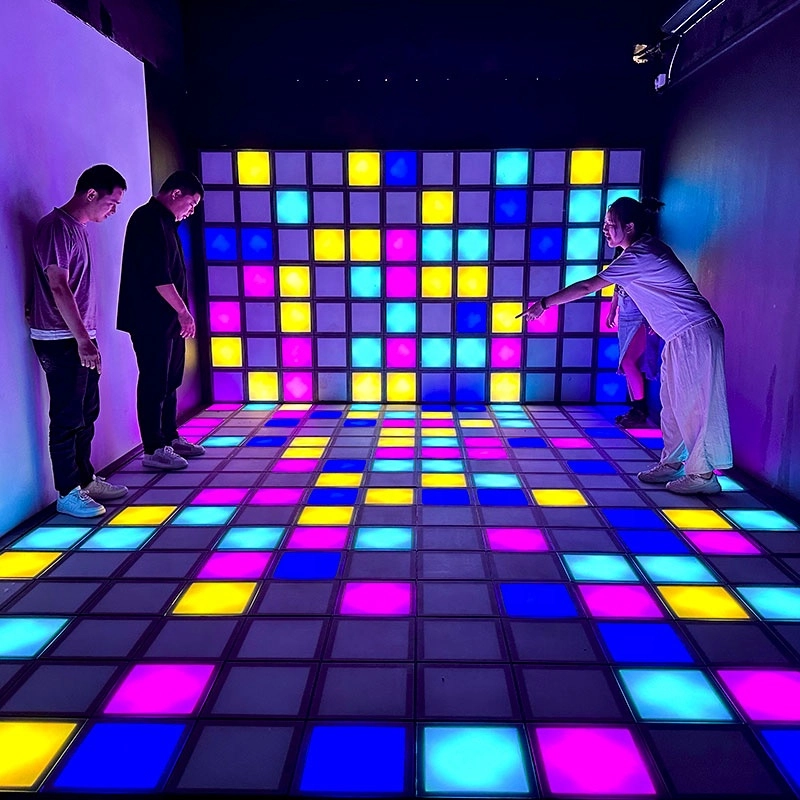
Hottest activated LED dance grid tiles floor touch games
Super Grid is an immersive sports game that combines sports and technology. It integrates interactive LED lights and sensors through innovative software design, creating a fun gaming experience.
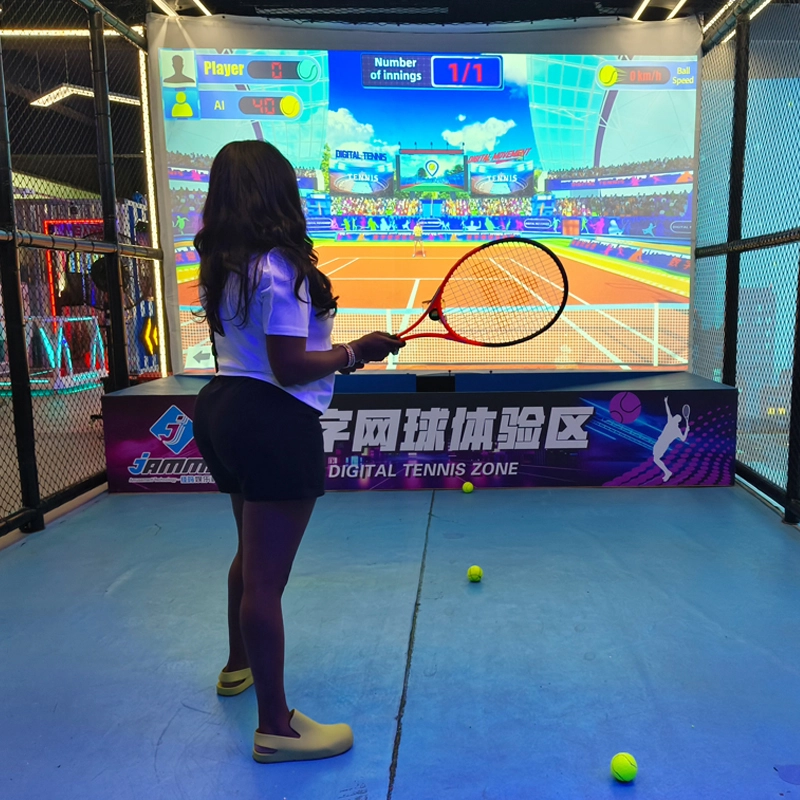
Top Indoor Tennis Racketball Training Simulator Dual Player Games
Interactive somatosensory fitness game
Combine traditional tennis sports with advanced 3D digital technology to bring customers an immersive tennis training experience
COMBINE TRADITIONAL TENNIS SPORTS WITH ADVANCED 3D DIGITAL TECHNOLOGY TO BRING CUSTOMERS AN IMMERSIVE TENNIS TRAINING EXPERIENCE INDOOR AND TENNIS EXPERIENCE HALL
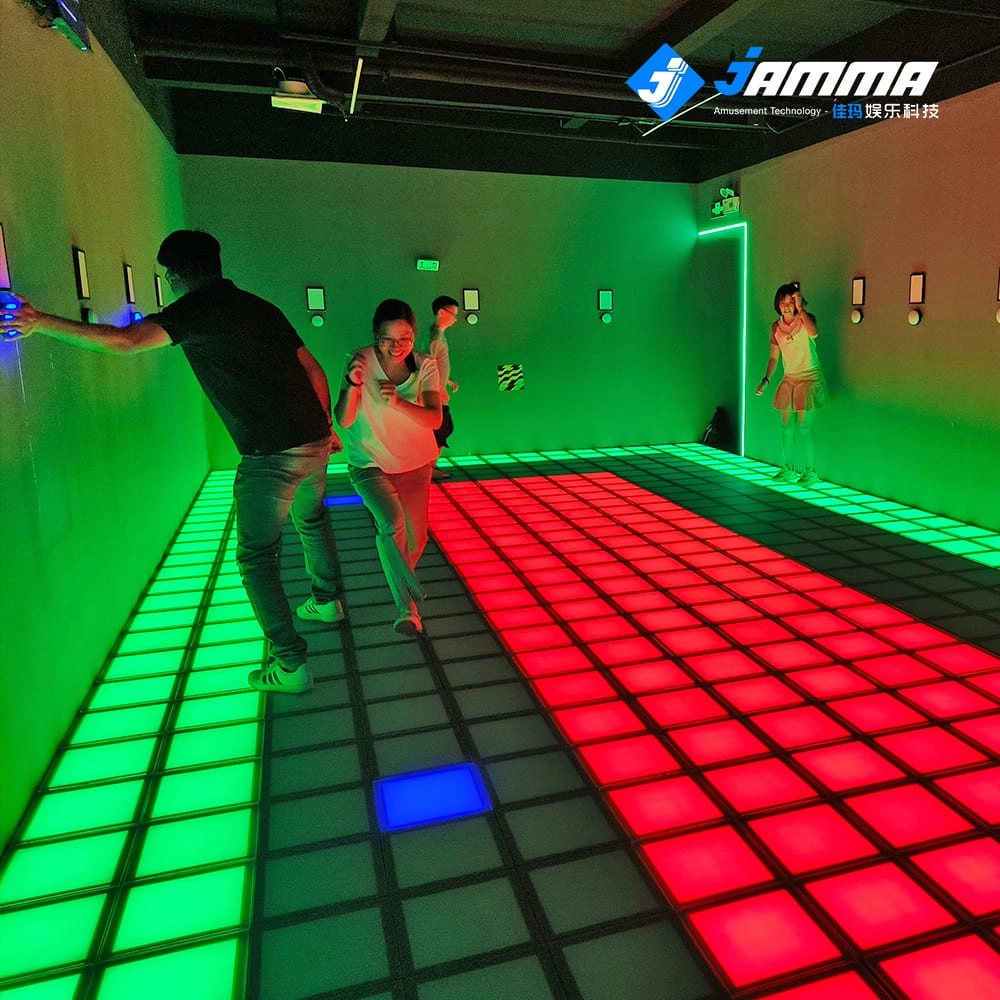
Super Grid Interactive LED Floor Activate Game Team Play
Super Grid is an immersive sports game that combines sports and technology. It integrates interactive LED lights and sensors through innovative software design, creating a fun gaming experience.
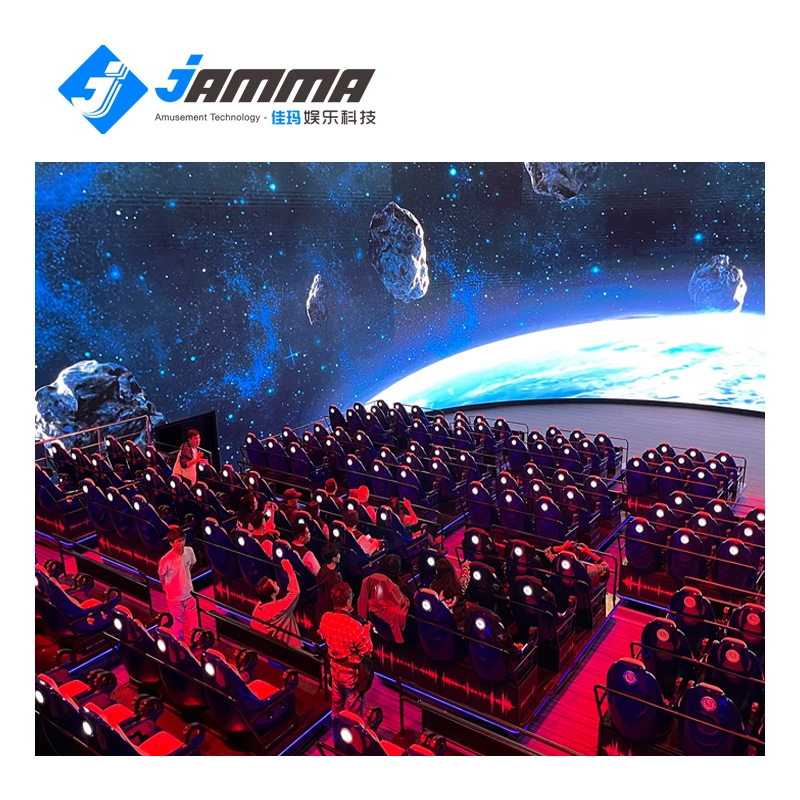
Immersive 5D/7D/9D cinema dynamic visual experience room
Compared with other types of theaters, 5D/7D/9D cinema have high technical content, prominent themes, and have a strong impact on the characteristics of the picture. With the increasing demand in the entertainment market and the continuous development of video entertainment technology, in the past, audiences would experience vibration, drop, rain, scratches and other effects in some 4D theaters, but now with 5D theaters, audiences can experience new Unique features, touch and feel effects such asreal smoke, water, snow, bubbles, smell, lightning, leg touch,camera system and more. When the audience is watching amovie, the seats and environmental effects will change into corresponding actions according to the development of the movie,allowing the audience to experience an immersive viewing experience.
